 GitDocket
A project example
One task helps the next session.
A contributor guide leaves a useful decision. A fresh agent finds it and uses it to plan what comes next.
Follow the one-task tutorial to try this yourself. This page shows a recorded example; its source version and replay details are linked below.
1. Complete one small change
The one-task tutorial starts with an empty project. A script ran the real Docket CLI to create and complete HBR-1, add a contributor guide and README link, verify headings and links, and record why future docs should work offline with relative links. No spec, epic, briefing or guidance setup was required.
Inspect the checked task and Outcome, actual commands and commits, and the documentation decision. One task is done; none is queued next. The engine records state; the scripted workflow supplied implementation, checks and updates to affected docs.
2. Inspect and edit saved project knowledge
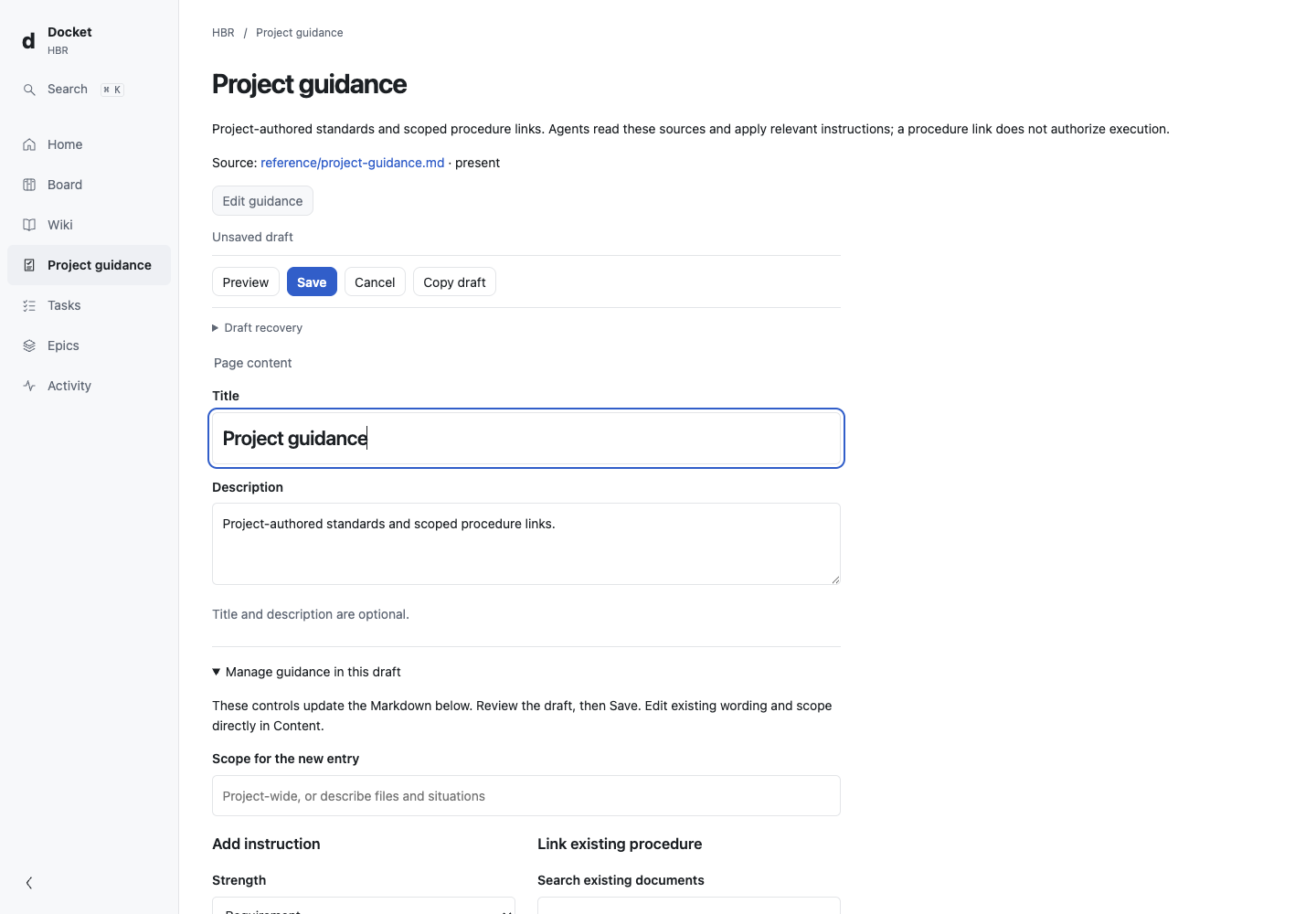
After the task, we added an optional contributor-writing instruction in Project guidance, then used the shared editor to require numbered steps. Run docket serve and open Project guidance. Its source is docket/reference/project-guidance.md. Edit guidance → Preview → Save updated the same Markdown source an agent reads. This direct edit created no extra task.
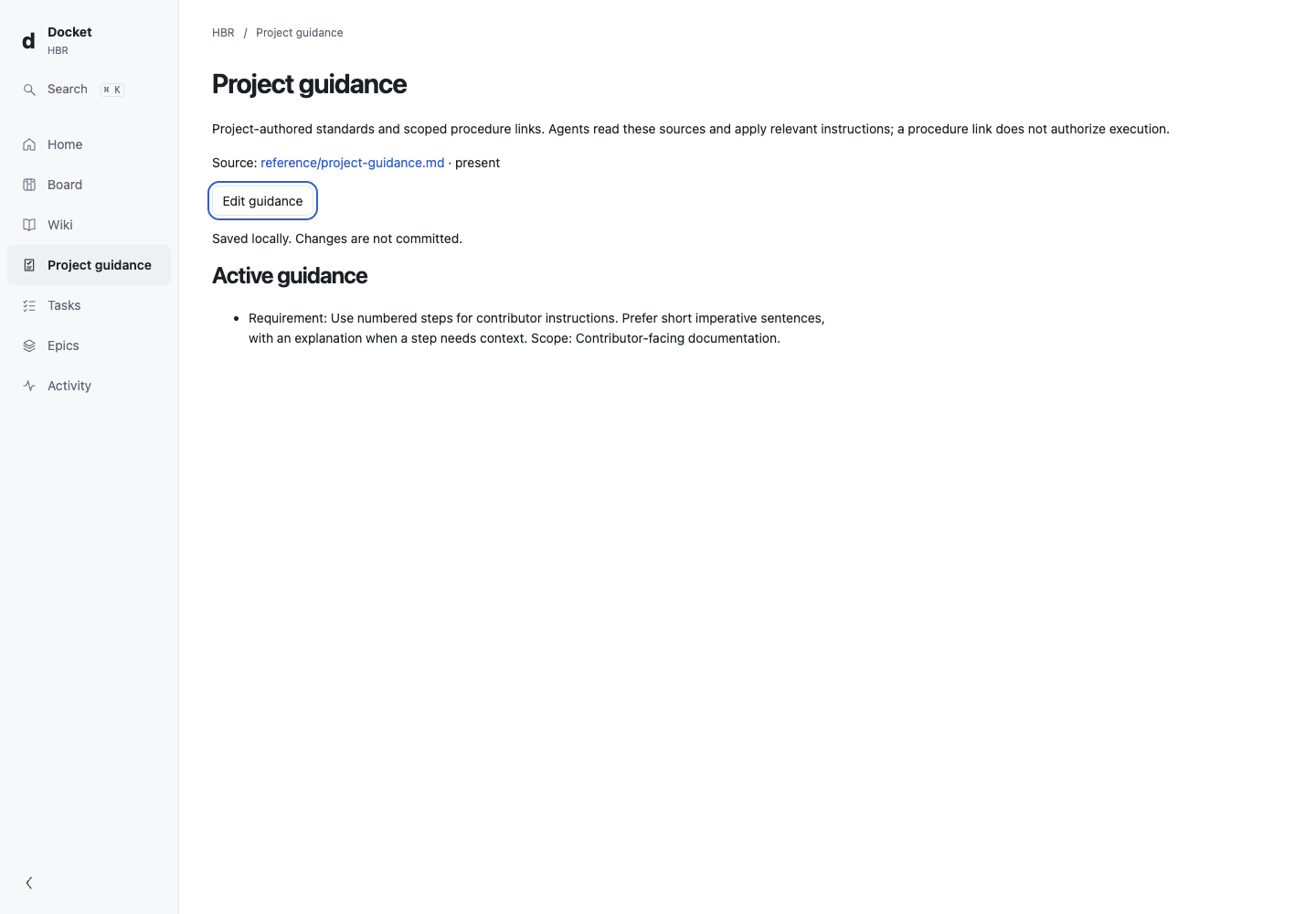
The UI reported “Saved locally. Changes are not committed.” We inspected Git status, then made a separate commit before cloning for the reader. See the save result, saved instruction, and before/after source.
Authored docs and instructions are editable. Derived indexes, rollups and Git history are read-only; briefings and logs use their own workflows. Saving is separate from committing and from application in a running agent session. Agents are instructed to reread relevant guidance after an explicit change or before starting the next piece of work; saving does not force that read or guarantee compliance. For conflicts, review the latest source and reconcile your retained draft before retrying. Same-tab draft recovery is best-effort. Editing and guidance limits.
3. Ask a fresh session to use the knowledge
Where did we leave off? Using repository evidence, explain how we should add a troubleshooting guide and make it discoverable. Cite the project decision that affects your recommendation, and apply any relevant saved project guidance. This is a read-only planning request; do not create or start work.
A separate agent, without the implementation conversation, read the repository and recommended a guide beside the contributor docs, linked from README, with offline relative links and numbered imperative steps. It cited the recorded decision and browser-saved instruction. The prompt did not repeat either rule.
Read the exact response and disclosed assistance. The plan applies project knowledge to another change; it goes beyond recognizing that a task was completed. No new implementation or backlog was invented.
What this evidence means
The task and Chromium editing actions were scripted; the fresh-reader answer is actual controlled agent execution. This is an internal agent proxy, not customer research or a guarantee that your agent will comply. We supplied repository discovery instructions and a candidate CLI path; no implementation correction was needed. Separate native-client checks had version and sign-in problems; this example does not establish support for every agent setup.
The run used source candidate 170b549, Bun 1.3.14 and macOS. Use the original source for an exact historical replay, or the current release to try the same workflow. There is no private project content or live publication in this evidence. Provenance and replay instructions · Grow to an epic.